Config-server metrics and Prometheus Operator#
What SDC exposes#
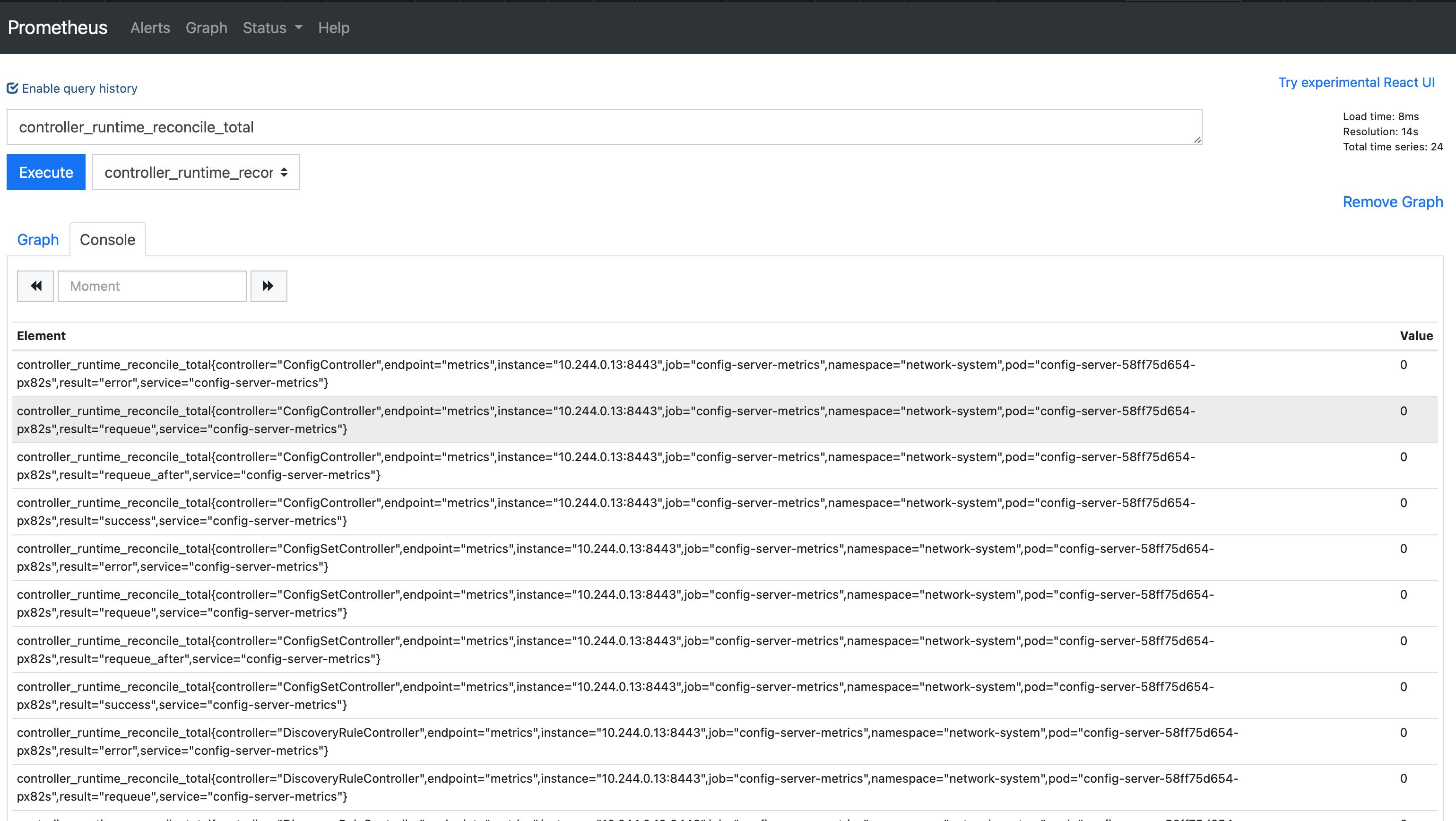
From config-server v0.0.42 onward, the operator exposes controller-runtime metrics on its HTTPS metrics endpoint (for example controller_runtime_reconcile_*, workqueue depth, and webhook latency where applicable). Scraping that endpoint with Prometheus is the usual way to observe reconciliation behaviour in a cluster.
This page is a lab-oriented walkthrough: install the Prometheus Operator, run a minimal Prometheus, add a ServiceMonitor that scrapes config-server in the sdc-system namespace, and confirm targets in the UI. It is not a production hardening guide (TLS verification, retention, HA, and alerting are out of scope).
Install the Prometheus Operator#
The Operator ships Kubernetes CRDs (Prometheus, ServiceMonitor, and related types) and controllers that reconcile them.
Namespace
The steps below install the operator Deployment in the default namespace. To install elsewhere, follow the Prometheus Operator documentation for your layout.
Apply the upstream bundle (pin or vendor this manifest for anything beyond a throwaway cluster):
kubectl apply -f https://raw.githubusercontent.com/prometheus-operator/prometheus-operator/master/bundle.yaml
Example output (truncated):
customresourcedefinition.apiextensions.k8s.io/... created
deployment.apps/prometheus-operator created
service/prometheus-operator created
Verify the operator Deployment:
Prometheus namespace, RBAC, and Prometheus CR#
Create a monitoring namespace and a dedicated ServiceAccount for Prometheus:
kubectl apply -f - <<EOF
apiVersion: v1
kind: ServiceAccount
metadata:
  name: prometheus
  namespace: monitoring
EOF
Grant read-only cluster discovery permissions that the Prometheus Operator expects for target discovery:
kubectl apply -f - <<EOF
apiVersion: rbac.authorization.k8s.io/v1
kind: ClusterRole
metadata:
  name: prometheus
rules:
- apiGroups: [""]
  resources:
  - nodes
  - nodes/metrics
  - services
  - endpoints
  - pods
  verbs: ["get", "list", "watch"]
- apiGroups: [""]
  resources:
  - configmaps
  verbs: ["get"]
- apiGroups:
  - networking.k8s.io
  resources:
  - ingresses
  verbs: ["get", "list", "watch"]
- nonResourceURLs: ["/metrics"]
  verbs: ["get"]
EOF
kubectl apply -f - <<EOF
apiVersion: rbac.authorization.k8s.io/v1
kind: ClusterRoleBinding
metadata:
  name: prometheus
roleRef:
  apiGroup: rbac.authorization.k8s.io
  kind: ClusterRole
  name: prometheus
subjects:
- kind: ServiceAccount
  name: prometheus
  namespace: monitoring
EOF
Create a Prometheus CR that selects ServiceMonitor objects in any namespace (lab default). Adjust image / version to a supported release for your environment—the example tags below are illustrative:
kubectl apply -f - <<EOF
apiVersion: monitoring.coreos.com/v1
kind: Prometheus
metadata:
  name: prometheus
  namespace: monitoring
  labels:
    app: prometheus
spec:
  image: quay.io/prometheus/prometheus:v2.22.1
  nodeSelector:
    kubernetes.io/os: linux
  replicas: 2
  resources:
    requests:
      memory: 400Mi
  securityContext:
    fsGroup: 2000
    runAsNonRoot: true
    runAsUser: 1000
  serviceAccountName: prometheus
  version: v2.22.1
  serviceMonitorSelector: {}
  serviceMonitorNamespaceSelector: {}
EOF
Check the StatefulSet:
ServiceMonitor for config-server#
Apply a ServiceMonitor in sdc-system so Prometheus discovers the config-server metrics Service. The endpoint uses HTTPS on the port named metrics.
TLS in production
insecureSkipVerify: true is not suitable for production: it disables server certificate verification. Prefer a proper tlsConfig with caFile / certFile / keyFile (or equivalent secrets mounted into Prometheus) once you know how your metrics certificates are issued.
kubectl apply -f - <<EOF
apiVersion: monitoring.coreos.com/v1
kind: ServiceMonitor
metadata:
  labels:
    app.kubernetes.io/name: config-server
  name: config-server-metrics-monitor
  namespace: sdc-system
spec:
  endpoints:
    - interval: 30s
      path: /metrics
      port: metrics
      scheme: https
      tlsConfig:
        insecureSkipVerify: true
  selector:
    matchLabels:
      app.kubernetes.io/name: config-server
      app: prometheus
EOF
Confirm that the labels on your config-server metrics Service match the selector above; change matchLabels if your Helm chart or install uses different keys.
Confirm scraping in the Prometheus UI#
Port-forward the Prometheus service:
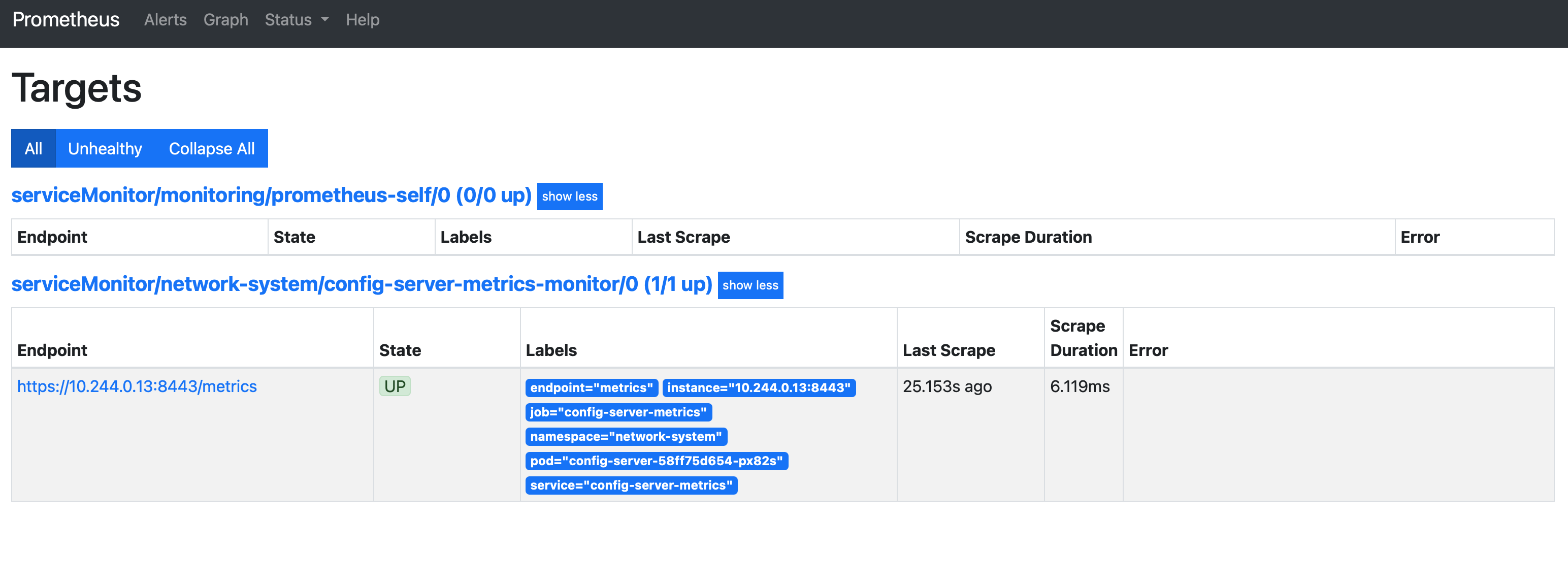
Open http://localhost:9090. Under Status → Targets, confirm the config-server job is UP. Under Graph, try:
Related docs#
- Subscription example with Prometheus — additional
ServiceMonitorpatterns for target metrics.
Troubleshooting#
- SDC-focused issues: Troubleshooting.
- Prometheus Operator platform notes: Prometheus Operator troubleshooting.